> ## Documentation Index
> Fetch the complete documentation index at: https://docs.privy.io/llms.txt
> Use this file to discover all available pages before exploring further.
# Card onramps
> Let users buy crypto with a card, Apple Pay, or Google Pay in your app with React or React Native
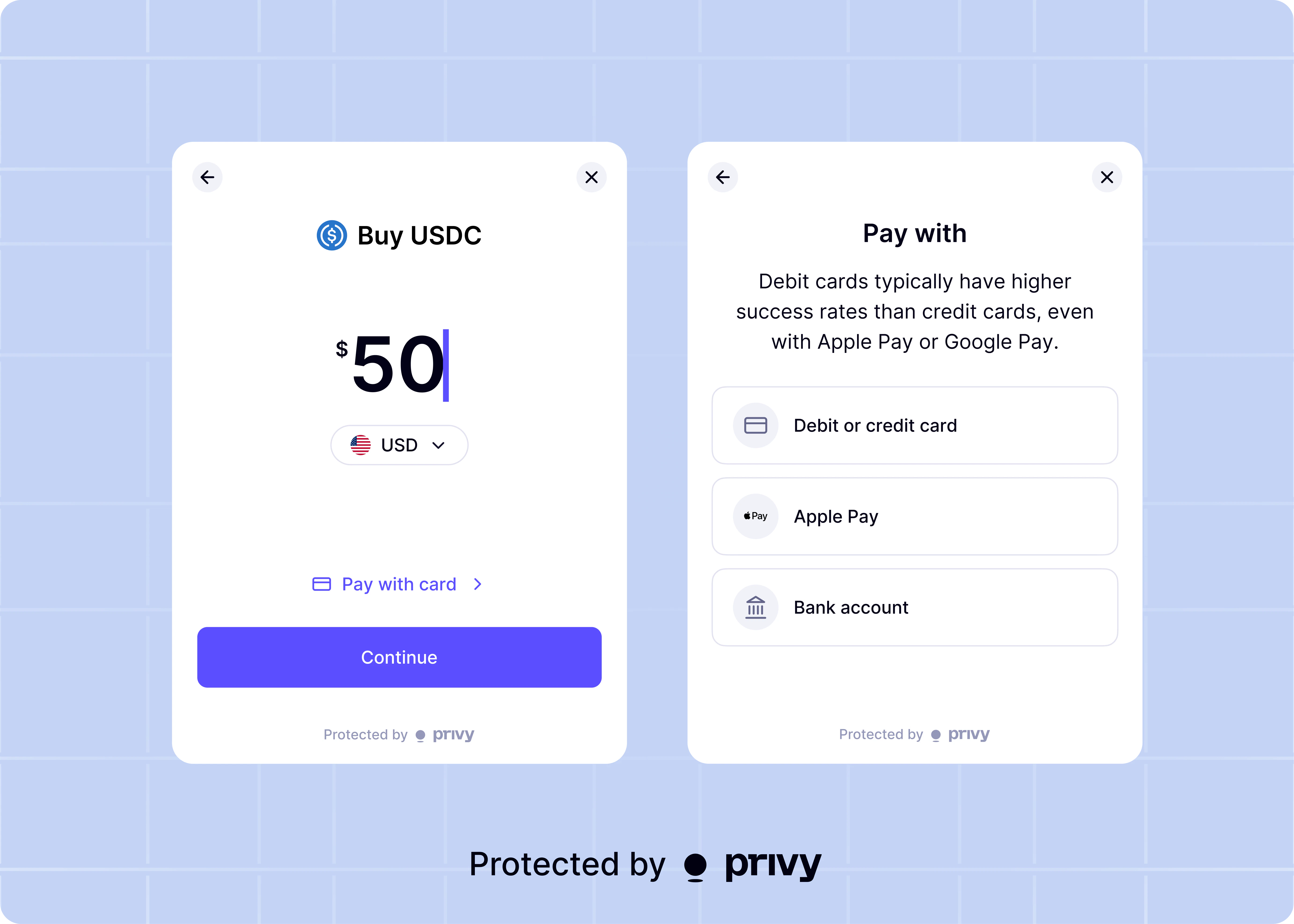
Privy provides a `useFiatOnramp` hook in `@privy-io/react-auth` that starts a fiat onramp flow in the Privy modal.
Your app can use this hook to let authenticated users buy crypto with supported fiat currencies, such as USD and EUR. Privy routes purchases through supported providers — Stripe, Meld, MoonPay, and Coinbase — based on availability and user region.
There are no fees or monthly minimums to use card onramps.
## Access the hook
Import and initialize `useFiatOnramp`:
```tsx theme={"system"}
import {useFiatOnramp} from '@privy-io/react-auth';
const {fund} = useFiatOnramp();
```
## Start a fiat onramp flow
Call `fund` with source currency options, and a destination wallet.
```tsx theme={"system"}
await fund({
source: {
assets: ['usd', 'eur']
},
destination: {
asset: '0x833589fCD6eDb6E08f4c7C32D4f71b54bdA02913',
chain: 'eip155:8453',
address: ''
}
});
```
`destination.chain` accepts a CAIP-2 identifier (for example, `eip155:8453` for Base or
`solana:mainnet` for Solana).
## Parameters
`fund` accepts an object with the following fields:
| Parameter | Type | Description |
| --------------------- | -------------------------------------------------------------------------- | ------------------------------------------------------------------------------------------------------------------------------------------------------------------- |
| `source` | `{assets?: SupportedFiatCurrency[]; defaultAsset?: SupportedFiatCurrency}` | Required. Source currency configuration for the fiat onramp flow. |
| `source.assets` | `SupportedFiatCurrency[]` | Optional. The list of fiat source currencies your app allows. Defaults to all [supported currencies](#supported-fiat-currencies). When provided, must be non-empty. |
| `source.defaultAsset` | `SupportedFiatCurrency` | Optional. The source currency selected when the flow opens. Falls back to the locale currency, then to the first item in `source.assets`. |
| `destination.asset` | `string` | Required. Token address on the destination chain (for example, Base USDC: `0x833589fCD6eDb6E08f4c7C32D4f71b54bdA02913`). |
| `destination.chain` | `` `${string}:${string}` `` | Required. Destination chain in CAIP-2 format. |
| `destination.address` | `string` | Required. Destination wallet address for purchased funds. |
| `environment` | `'sandbox' \| 'production'` | Optional. Onramp environment for provider APIs. |
| `defaultAmount` | `string` | Optional. Initial fiat amount displayed in the amount step. |
### Supported fiat currencies
`SupportedFiatCurrency` accepts any of the following lowercase ISO 4217 codes. Reach out to [sales@privy.io](mailto:sales@privy.io) to request support for additional currencies.
| Code | Currency |
| ----- | ------------------ |
| `usd` | US Dollar |
| `eur` | Euro |
| `gbp` | British Pound |
| `mxn` | Mexican Peso |
| `brl` | Brazilian Real |
| `cny` | Chinese Yuan |
| `jpy` | Japanese Yen |
| `inr` | Indian Rupee |
| `cad` | Canadian Dollar |
| `krw` | South Korean Won |
| `aud` | Australian Dollar |
| `idr` | Indonesian Rupiah |
| `sar` | Saudi Riyal |
| `try` | Turkish Lira |
| `chf` | Swiss Franc |
| `twd` | New Taiwan Dollar |
| `sek` | Swedish Krona |
| `ngn` | Nigerian Naira |
| `pln` | Polish Zloty |
| `ars` | Argentine Peso |
| `aed` | UAE Dirham |
| `thb` | Thai Baht |
| `zar` | South African Rand |
| `dkk` | Danish Krone |
| `egp` | Egyptian Pound |
| `myr` | Malaysian Ringgit |
| `sgd` | Singapore Dollar |
| `cop` | Colombian Peso |
| `php` | Philippine Peso |
| `clp` | Chilean Peso |
| `bdt` | Bangladeshi Taka |
| `vnd` | Vietnamese Dong |
| `czk` | Czech Koruna |
| `ils` | Israeli Shekel |
| `hkd` | Hong Kong Dollar |
| `nzd` | New Zealand Dollar |
| `pkr` | Pakistani Rupee |
| `ron` | Romanian Leu |
| `kzt` | Kazakhstani Tenge |
| `nok` | Norwegian Krone |
| `huf` | Hungarian Forint |
| `uah` | Ukrainian Hryvnia |
| `kwd` | Kuwaiti Dinar |
| `qar` | Qatari Riyal |
| `etb` | Ethiopian Birr |
| `mad` | Moroccan Dirham |
| `bgn` | Bulgarian Lev |
| `kes` | Kenyan Shilling |
| `npr` | Nepalese Rupee |
## Return value
`fund` returns a Promise with one of the following statuses:
| Status | Meaning |
| ------------- | ---------------------------------------------------------------------------------------------- |
| `'submitted'` | The user completed the provider flow, then exited before final confirmation finished in Privy. |
| `'confirmed'` | The flow reached provider confirmation, and the user completed the success step. |
## Error handling
`fund` rejects on invalid configuration or incomplete flows. Common error cases include:
* `source.assets` is empty
* another fiat onramp flow is already in progress
* the user closes the flow before submitting a purchase
* provider session or status requests fail
Your app should wrap calls in `try/catch` and show clear UI feedback.
## Complete example
```tsx theme={"system"}
import {useState} from 'react';
import {useFiatOnramp} from '@privy-io/react-auth';
export const BuyUsdcButton = ({address}: {address: string}) => {
const {fund} = useFiatOnramp();
const [isLoading, setIsLoading] = useState(false);
const onBuyUsdc = async () => {
setIsLoading(true);
try {
const result = await fund({
source: {
assets: ['usd', 'eur', 'gbp'],
defaultAsset: 'usd'
},
destination: {
asset: '0x833589fCD6eDb6E08f4c7C32D4f71b54bdA02913',
chain: 'eip155:8453',
address
},
environment: 'production',
defaultAmount: '50'
});
if (result.status === 'confirmed') {
// Update post-purchase UI immediately.
}
if (result.status === 'submitted') {
// Show pending state while the provider finalizes the transaction.
}
} catch (error) {
// Show retry UI or an error banner.
console.error(error);
} finally {
setIsLoading(false);
}
};
return (
);
};
```
## Use with deposit addresses
Apps that already use deposit addresses to receive funds on behalf of users can pass that address directly as the `destination.address` in the `fund` call. The onramp flow purchases the specified crypto asset and delivers it straight to the deposit address, letting your app credit the user's account through your existing settlement logic.
```tsx {7-9} theme={"system"}
const onFundDepositAddress = async () => {
return await fund({
source: {
assets: ['usd']
},
destination: {
address: depositAddress,
asset: '0x833589fCD6eDb6E08f4c7C32D4f71b54bdA02913',
chain: 'eip155:8453'
}
});
};
```
The `destination.address` does not need to be the user's own wallet. It can be any valid address
your app controls, such as a per-user deposit address generated by your backend. Set
`destination.asset` to the token address and `destination.chain` to the network that the deposit
address expects as input.
## Stripe Embedded Components onramp
Privy supports [Stripe's Embedded Components for Crypto Onramp](https://docs.stripe.com/crypto/onramp/embedded-components) as a payment option within the fiat onramp flow. Stripe provides an embedded UX that handles payment processing, KYC via [Link](https://link.com/), and crypto delivery directly to the user's wallet.
Requires `@privy-io/react-auth` version **3.33.1** or later.
Install the `@stripe/crypto` package as a required dependency:
```bash theme={"system"}
pnpm install @stripe/crypto
```
Supported payment methods include credit, debit, Apple Pay, Google Pay, and ACH (US only). Supported destination currencies include USDC (Base, Solana, Ethereum, and Arbitrum). Available in the US (excluding New York). EU support coming soon.
Official Stripe Embedded Components onramp documentation
Make sure `` is mounted first, by following [this
guide](/authentication/user-authentication/ui-component).
Privy provides `useFundWallet` and `useFundSolanaWallet` hooks in `@privy-io/expo/ui` that start a card-based fiat onramp flow in the Privy modal on React Native.
Your app can use these hooks to let authenticated users buy crypto via MoonPay or Coinbase. `useFundWallet` funds EVM wallets, and `useFundSolanaWallet` funds Solana wallets.
## Start a fiat onramp flow
Use `useFundWallet` to fund an EVM wallet. Call `fundWallet` with the destination address, chain, amount, and optional asset configuration.
```tsx theme={"system"}
import {useFundWallet} from '@privy-io/expo/ui';
import {base} from 'viem/chains';
const {fundWallet} = useFundWallet();
await fundWallet({
address: '',
chain: base,
amount: '50',
asset: 'USDC'
});
```
### Parameters
| Parameter | Type | Description |
| ------------------------------ | ----------------------------------------------------------- | --------------------------------------------------------------------------------------------------------------------- |
| `address` | `string` | Required. The destination wallet address to fund. |
| `chain` | [`Chain`](https://viem.sh/docs/chains/introduction) | Optional. A `viem/chains` object for the network on which to fund. Defaults to the chain configured in the Dashboard. |
| `asset` | `'native-currency'` \| `'USDC'` \| `{tokenAddress: string}` | Optional. The asset to fund with. Defaults to `'native-currency'`. |
| `amount` | `string` | Required if `asset` is set, optional otherwise. The amount to fund as a decimal string. |
| `defaultPaymentMethod` | `'card'` \| `'exchange'` | Optional. Skip payment method selection and trigger the specified flow directly. |
| `card.preferredProvider` | `'coinbase'` \| `'moonpay'` | Optional. The preferred card onramp provider. |
| `moonpay.useSandbox` | `boolean` | Optional. Use MoonPay sandbox mode for testing. |
| `moonpay.uiConfig.accentColor` | `string` | Optional. Accent color for the MoonPay UI (hex value). |
| `moonpay.uiConfig.theme` | `'light'` \| `'dark'` | Optional. Theme for the MoonPay UI. |
Use `useFundSolanaWallet` to fund a Solana wallet. Call `fundWallet` with the destination address, cluster, and amount.
```tsx theme={"system"}
import {useFundSolanaWallet} from '@privy-io/expo/ui';
const {fundWallet} = useFundSolanaWallet();
await fundWallet({
address: '',
cluster: {name: 'mainnet-beta'},
amount: '1',
asset: 'native-currency'
});
```
### Parameters
| Parameter | Type | Description |
| ------------------------------ | ------------------------------- | --------------------------------------------------------------------------------------- |
| `address` | `string` | Required. The destination Solana wallet address to fund. |
| `cluster` | `SolanaCluster` | Optional. The Solana cluster to fund on. Defaults to `mainnet-beta`. |
| `asset` | `'native-currency'` \| `'USDC'` | Optional. The asset to fund with. Defaults to `'native-currency'`. |
| `amount` | `string` | Required if `asset` is set, optional otherwise. The amount to fund as a decimal string. |
| `defaultPaymentMethod` | `'card'` \| `'exchange'` | Optional. Skip payment method selection and trigger the specified flow directly. |
| `card.preferredProvider` | `'coinbase'` \| `'moonpay'` | Optional. The preferred card onramp provider. |
| `moonpay.useSandbox` | `boolean` | Optional. Use MoonPay sandbox mode for testing. |
| `moonpay.uiConfig.accentColor` | `string` | Optional. Accent color for the MoonPay UI (hex value). |
| `moonpay.uiConfig.theme` | `'light'` \| `'dark'` | Optional. Theme for the MoonPay UI. |
The React Native fiat onramp supports MoonPay and Coinbase as card providers. Stripe, Meld, and
the multi-provider routing available in the React `useFiatOnramp` hook are not yet supported on
React Native.