> ## Documentation Index
> Fetch the complete documentation index at: https://docs.privy.io/llms.txt
> Use this file to discover all available pages before exploring further.
# Cards
> Issue debit cards that spend stablecoins directly from a Privy account
Cards enable consumers and businesses to spend stablecoins directly from a Privy account at any merchant that accepts Visa. Your app issues virtual or physical debit cards backed by a Privy wallet, so users spend their onchain balance without manually offramping first.
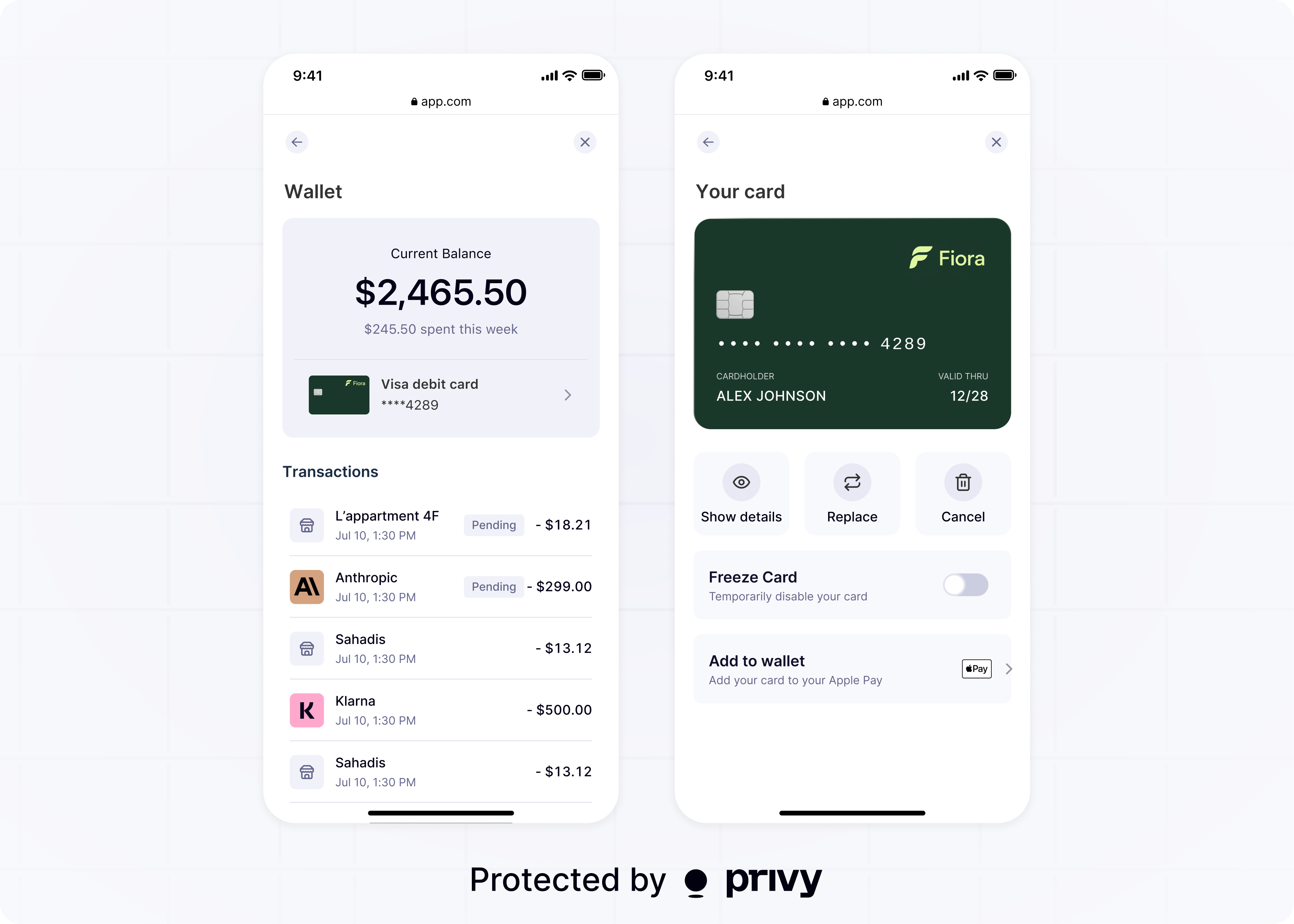 Card issuing is powered by [Bridge](https://bridge.xyz) and [Stripe Issuing](https://docs.stripe.com/issuing/bridge-stablecoin-cards). Bridge manages customer identity, KYC, onchain fund movement, and statements. Stripe Issuing creates the card and handles authorization, spend controls, and webhooks.
## How it works
Lead Bank issues the card, and Bridge is the program manager that moves funds onchain. Stripe provides Issuing, identity verification, and managed support, while Privy provides the embedded wallet, all in one integration.
Cards spend just-in-time from the account's stablecoin balance; funds are never preloaded onto the card. Each purchase pulls stablecoins from the account onchain at the moment of authorization. Wallet owners must submit an onchain approval so Bridge's smart contract can pull funds at authorization time.
## Spend from vault balances
Balances backing a card don't have to sit idle. Users can deposit their stablecoins in [Earn](/wallets/actions/earn/overview) vaults, where they accrue yield, and withdraw just-in-time to fund card spend. A single balance both grows and stays spendable, so users earn on their stablecoins right up until they use the card.
## Choose your integration
Privy supports two ways to add cards to your app. Most teams launching a consumer card program start with pre-built components. Teams that need full control over the cardholder experience integrate the APIs directly.
| | Pre-built components | API integration |
| ------------------ | -------------------------------------------------------------------- | ---------------------------------------------------------------------- |
| **Best for** | Launching a compliant consumer card program with minimal UI to build | Launching a commercial or consumer card program with a fully custom UI |
| **How you build** | Pre-built UI components in the Privy React SDK | Stripe Issuing and Bridge APIs |
| **Cardholder UI** | Provided by Privy | Built by your app |
| **Compliance** | Powered by Stripe | Powered by Stripe or an in-house compliance team |
| **Time to launch** | 1 month | 2 months |
Embed bank-approved card UI with the React SDK.
Issue cards server-side with Stripe Issuing and Bridge.
## Get started
Cards are available through a guided Privy and Bridge onboarding. Reach out to [sales@privy.io](mailto:sales@privy.io) to get started.
Card issuing is powered by [Bridge](https://bridge.xyz) and [Stripe Issuing](https://docs.stripe.com/issuing/bridge-stablecoin-cards). Bridge manages customer identity, KYC, onchain fund movement, and statements. Stripe Issuing creates the card and handles authorization, spend controls, and webhooks.
## How it works
Lead Bank issues the card, and Bridge is the program manager that moves funds onchain. Stripe provides Issuing, identity verification, and managed support, while Privy provides the embedded wallet, all in one integration.
Cards spend just-in-time from the account's stablecoin balance; funds are never preloaded onto the card. Each purchase pulls stablecoins from the account onchain at the moment of authorization. Wallet owners must submit an onchain approval so Bridge's smart contract can pull funds at authorization time.
## Spend from vault balances
Balances backing a card don't have to sit idle. Users can deposit their stablecoins in [Earn](/wallets/actions/earn/overview) vaults, where they accrue yield, and withdraw just-in-time to fund card spend. A single balance both grows and stays spendable, so users earn on their stablecoins right up until they use the card.
## Choose your integration
Privy supports two ways to add cards to your app. Most teams launching a consumer card program start with pre-built components. Teams that need full control over the cardholder experience integrate the APIs directly.
| | Pre-built components | API integration |
| ------------------ | -------------------------------------------------------------------- | ---------------------------------------------------------------------- |
| **Best for** | Launching a compliant consumer card program with minimal UI to build | Launching a commercial or consumer card program with a fully custom UI |
| **How you build** | Pre-built UI components in the Privy React SDK | Stripe Issuing and Bridge APIs |
| **Cardholder UI** | Provided by Privy | Built by your app |
| **Compliance** | Powered by Stripe | Powered by Stripe or an in-house compliance team |
| **Time to launch** | 1 month | 2 months |
Embed bank-approved card UI with the React SDK.
Issue cards server-side with Stripe Issuing and Bridge.
## Get started
Cards are available through a guided Privy and Bridge onboarding. Reach out to [sales@privy.io](mailto:sales@privy.io) to get started.